

 中文
BC Game APK: Complete Download and Installation Guide
For BC Game APK users, the most practical starting point is choosing the correct download route via bc game apk and then installing through Android package permissions. After installation, the app behaves like the mobile version: registration, betting menus, and payment flows are accessed from inside the client rather than from a desktop browser. If the goal is sports betting plus casino-style tables on the go, the mobile build is the one to set up first.
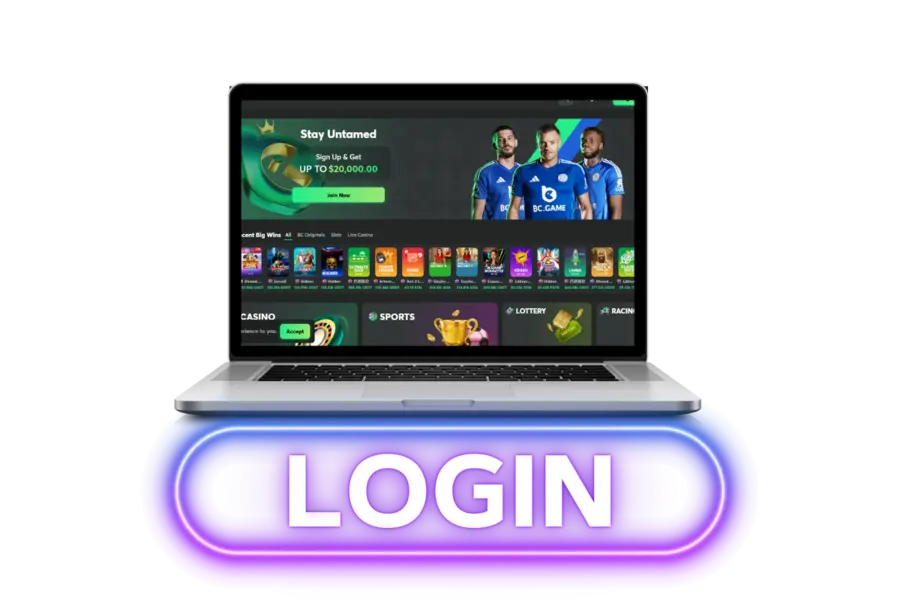
Android Installation for BC Game APK: Permissions, Updates, and First Launch
On Android, the BC Game APK installation is typically a manual process because the file is an APK package rather than a Play Store listing. Before tapping the installer, allow “Install unknown apps” for the browser or file manager that will open the APK. In practice, the first launch often asks for notification permissions and then routes you to the login or registration screen.
Versioning matters: if an older APK is already installed, replacing it usually keeps the same account session but can reset local settings. After installation, check whether the app shows live tables in the casino section and whether the sports tab includes the same leagues as the mobile browser. However, some Android builds may require a restart after updates to refresh the live odds feed.
Download Choice and Installation Steps
The download step should be handled through a consistent source so the package matches the intended build. If you are using the alternative download page, the package is obtained from https://bcgame-app-pk.com/download/ and then installed from the device’s downloads folder. During installation, the system may show an app permissions screen; only proceed if you recognize the request prompts.
Worked Scenarios for Android Setup
Scenario 1: if you already have BC Game installed from a previous APK, install the newer file over the top, then open the app and confirm the sports odds layout loads without a spinner loop. Scenario 2: if the installer stops with a “parse error,” delete the APK file, re-download, and ensure the device storage has enough free space for the package. Scenario 3: if live tables appear blank, switch to mobile data for 2 minutes, then return to the Wi‑Fi network and re-open the casino lobby.
In practice, Android performance depends on device memory; low-RAM phones can show delayed live updates. If that happens, reducing background apps and keeping the app in the foreground usually improves refresh timing.
IOS Installation for the BC Game App: App Store vs Mobile Browser
On iOS, installation usually differs from Android because iOS commonly uses an app store distribution model rather than direct APK-style packages. If a dedicated iOS app is available, it should be installed from the iOS app store and then updated through the same store. If the iOS path is browser-based, the interface still supports mobile betting flows, but some pop-up elements and device notifications can behave differently.
What Changes Compared with Desktop
Mobile iOS layouts compress navigation into bottom tabs or stacked menus, so sports categories and live betting filters appear in collapsible panels. Desktop screens typically show more columns at once, including odds and market details, while iOS surfaces them one section at a time. Notably, live betting actions like cash-out confirmations are still available, but the confirmation prompt may require an extra tap.
Verification Timing on iOS
Verification is commonly required before withdrawals, and the iOS client usually triggers the same KYC prompts as the Android app. If the account is already verified on another device, the iOS session should complete login and proceed directly to deposit and wagering. If not verified, the app may restrict withdrawals until documents are accepted.
Games, Live Tables, and Sports Markets: What to Expect on Mobile
BC Game’s offering spans casino-style titles and sports betting markets, and the mobile interface separates these into distinct sections. In casino play, the categories typically include slots and live casino tables, with provider branding shown inside each game tile. For sports, the app organizes markets by league and then by event, with odds displayed in a condensed format for quick tapping.
Game Titles, Providers, and Live Categories
Game providers are displayed per title, and live tables are accessible from the live casino lobby when the feed is active. Categories generally include slots, table games, and live dealer formats, with live tables emphasized for real-time play. The exact number of titles can vary by region and by app version, so the in-app catalog is the reference point at install time.
Sports Betting: Leagues, Odds Format, and Cash-Out
Sports markets are presented by league, including common football and other mainstream leagues available in the app’s sportsbook. Odds are shown in the same format across mobile and desktop views, and live betting updates as events progress. Cash out is available on eligible live selections, and the app shows whether cash-out is active before you place the bet.
Accumulator bets are supported through multi-leg slip building, and the app calculates combined outcomes based on the legs you select. For match-by-match decisions, live cash-out prompts help manage risk after odds movement.
Payments on BC Game: Methods, Limits, Verification, and Fees
Payment availability and limits can change, so the app’s “Deposit” and “Withdraw” screens are the practical source for current ranges. In many regulated online gambling setups, deposits can be made using card and wallet methods, while withdrawals may require identity verification before the first payout. Processing time depends on the withdrawal method and the verification stage, not only on the app.
Deposit and Withdrawal Limits (How to Read Them)
Minimum and maximum deposit amounts, as well as withdrawal caps, are shown in the payment module and should be checked before funding. If a withdrawal request is blocked, the app usually indicates whether it is due to verification status or payment method limits. Fees are also method-dependent and can be displayed as a separate line item during withdrawal confirmation.
Payment Scenarios You Can Test
Scenario 1: if a first withdrawal is attempted without completing KYC, the app may require document upload before processing begins. Scenario 2: if a withdrawal exceeds the method’s maximum per transaction, the app typically forces a smaller amount or a different withdrawal method. Scenario 3: if a deposit is made by bank card and the withdrawal is requested to the same card, the app may follow the same compliance checks and then move to processing.
- Visa deposit method is shown in the deposit screen, and card-based withdrawals may require KYC before first payout.
- Mastercard is typically listed alongside Visa in the same payment module for deposits and card withdrawals.
- Cryptocurrency withdrawal options, when available, usually display a network and minimum amount during confirmation.
- Bank transfer can appear as a withdrawal method with a separate processing timeframe shown in-app.
- Verification is commonly required before the first withdrawal, and the app blocks withdrawal until documents pass review.
Bonuses, Wagering Rules, Support, and Responsible Play Controls
BC Game promotions on mobile are shown inside the bonuses area, but the terms should be read exactly as displayed because wagering conditions differ by offer. Bonus amounts and wagering multipliers are tied to a qualifying deposit, and the app tracks progress by counting eligible bets and excluding ineligible games. In sports betting, wagering contributions depend on the promotion’s eligible selection types and the slip composition rules.
Bonus Terms: Amount, Percentage, and Wagering Window
Promotions typically include a fixed bonus value or a percentage of the qualifying deposit, paired with a wagering requirement expressed as an “xN” multiplier. The app also shows a time limit for completing wagering and a maximum bet size allowed during the wagering period. Only games listed as eligible in the promotion terms count toward wagering, while other titles or segments may not contribute.
Support Channels and Hours
Support is usually accessible through in-app chat and an email contact option, with response times varying by time zone and queue length. The app’s help section typically lists available languages for support, which can include English and other regional languages. During peak periods, chat responses may take longer, but the support panel should still confirm that the ticket was received.
- In-app live chat is available from the help menu, with hours shown in the support panel.
- Email support is listed in the help section, and verification questions may require document details.
- FAQ articles inside the app can cover deposit limits and withdrawal status checks.
- Support language options are shown as selectable items in the chat setup.
- Account actions like self-exclusion are managed through the responsible gambling settings area in-app.
Responsible Gambling Controls and Age Restriction
Responsible gambling tools usually include deposit and loss limits, plus self-exclusion options that prevent account access for a defined period. Age restriction is enforced at registration and can be checked again during verification. Keep the controls active if you want the app to cap deposits and limit session losses according to your own rules.
One practical point: if a limit is reached, the app blocks further deposits or wagering depending on the specific setting you configured. Always review the responsible gambling menu after installing, because changes on one device do not always reflect immediately on another, including bc online casino real money
Age restriction applies: only accounts that meet the legal minimum age for the BC Game service should be used.