

 中文
BC Game iOS: How to Access the Platform on iPhone
BC Game iOS: How to Access the Platform on iPhone
To start using BC Game on iPhone, open the correct entry point via bc game login pakistan and then follow the in-app prompts for login, deposit, and bets.
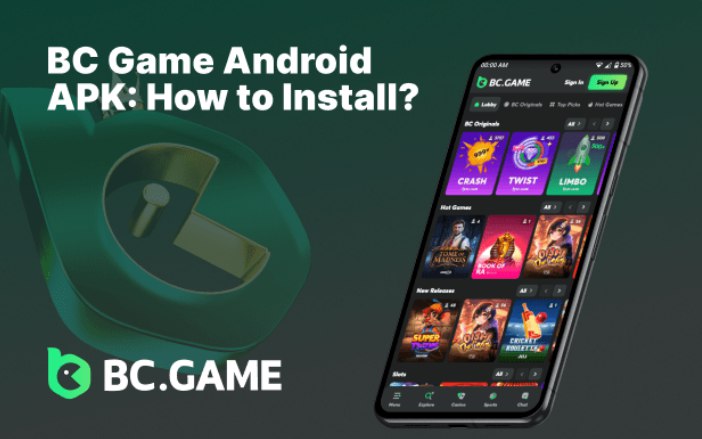
IOS Access Options for BC Game (App Store vs Mobile Browser)
On iPhone, BC Game is typically accessed through an iOS app from the Apple App Store or through a mobile browser session when an app install is not possible. The mobile version keeps the same core layout as desktop, but it condenses navigation and emphasizes the bet slip and live sections for smaller screens. In practice, you’ll see fewer widgets per page, and switching between sportsbook and casino areas happens with faster, simpler transitions. If you already use a desktop account, the login credentials transfer directly to iOS, but the first deposit still triggers verification checks when required.
Installing the iOS App and Signing In
After installing the BC Game iOS app, sign in using the same account details used on desktop. The app’s first-time screens usually ask for a confirmation of country/region and then route you to account settings. If you land on a login page that differs from desktop, use the in-app navigation to reach Sportsbook or Casino rather than closing the session. Notably, the iOS app stores session state on the device, so logging out and logging back in may be needed if you switch accounts.
Using the Mobile Browser When You Cannot Install
When the iOS app is unavailable, a browser session can still reach the same betting areas, including live tables and sports. Browser access behaves differently from the app: it relies on the browser’s cookies and may require re-authentication after clearing storage. As a rule, browser navigation is slower when opening the bet slip repeatedly, so it helps to keep one session tab active. If you plan to place live bets, check that the browser allows notifications and background updates, since live odds can refresh frequently.
BC Game Mobile Bonuses, Deposits, and Wagering Rules
BC Game promotions on mobile are tied to specific terms shown in the bonus page before you accept them. Any bonus comes with a wagering requirement, a time limit, and a cap on the maximum bet size that counts during wagering. These conditions apply even when the promotion is activated from iPhone, and the app will reflect the same wagering tracker used on desktop. If a promotion excludes certain games, that restriction is also enforced in the wagering calculation inside the mobile client.
Wagering Example: Activating a Promo and Tracking Progress
Consider a scenario where a promotion requires wagering “xN” and has a maximum qualifying bet cap; the bet slip shows whether each bet type is eligible. If the wagering period ends before the tracker reaches the required amount, the remaining wagering typically resets or becomes void according to the promotion terms. In practice, this is why mobile users should check the wagering tracker after a few bets rather than waiting until the end of the timeframe. Another common scenario is when only selected casino games count, so opening a non-qualifying category can stall progress even if the bet slip shows activity.
Casino and Sports Eligibility During Wagering
Promotions can define which games contribute to wagering, often separating live casino tables from other categories. For sports betting promos, the terms usually specify which leagues or bet types are eligible and whether cash out affects qualification. For casino promos, the terms usually list qualifying providers or game categories, and they may exclude certain table formats. The mobile app surfaces these rules in the promotion details page so you can decide what to play before placing bets.
Bonus Terms You Should Check Before Accepting
Before accepting any BC Game iOS bonus, verify the exact percentage and the wagering multiplier “xN” shown in the promotion details. Also confirm the minimum qualifying deposit amount and the time limit for completing wagering on iPhone. If the promo lists a maximum bet during wagering, keep each bet under that cap to avoid non-qualifying stakes. Finally, check the “which games count” section so the wagering tracker increases instead of staying flat.
Sportsbook and Casino on iPhone: Leagues, Odds, Live Betting
On iPhone, the Sportsbook section organizes events by sport and league, and it supports live betting with real-time odds updates. The odds format used by BC Game is displayed next to each market, and selections typically show whether they are compatible with live cash out. Live betting is handled directly from the event page, where the bet slip updates without leaving the live feed. For casino, the iOS client groups games by category and includes live tables alongside slot and table formats.
Sports Coverage and How Live Betting Works
Sports events are commonly shown by major leagues, and live markets are grouped so you can switch between match periods. Odds are presented in a consistent format on mobile, and when live cash out is available, it appears in the bet slip for eligible selections. Accumulators can be supported in the Sportsbook, and accumulator bonus promotions—when offered—are governed by their own wagering and eligibility terms. If the event changes state during live play, the app refreshes the market and may require confirmation before the bet is placed.
Casino Providers, Live Tables, and Game Categories
BC Game casino content is sourced from named providers, with live tables handled through the live dealer platform inside the app. The iOS client displays categories such as slots, table games, and live casino, and it filters by provider when that option is enabled. In practice, the live section is the most sensitive to network changes, so a stable connection helps when you switch between live tables, bc game pakistan login Game counts can vary by region and promotion availability, but the app’s catalog view shows the current number of titles and live tables available to your account.
Worked Scenarios: Placing Bets and Spinning In-App
Scenario one: during a live match, select two markets and place a bet; if cash out is enabled, the bet slip offers the cash out control immediately after placement. Scenario two: accept a casino promo, then choose a qualifying live table category; the wagering tracker should move after each qualifying stake, provided the bet size stays within any maximum bet limit. Scenario three: if a promotion excludes certain game categories, switching to a non-qualifying slot category may keep wagering unchanged even though the spin completes. These checks are easier on iPhone because the app shows eligibility notes near the promotion and bet slip.
Account, Payments, and Support on iPhone
Managing a BC Game iOS account involves registration, KYC verification when required, deposits, and withdrawals from the same mobile client. The app typically keeps verification status visible in account settings, and it may block withdrawals until document checks are completed. Payment methods available on iPhone can differ by region, but the deposit and withdrawal limits are shown in the payment screen before you confirm a transaction. Processing time for withdrawals is also displayed in the withdrawal flow, and verification requirements can apply before a first withdrawal.
Registration Steps and KYC Documents
Registration usually starts with entering an email address or phone number, then completing basic profile details such as name and date of birth. After account creation, KYC documents can be requested to verify identity, commonly including a government-issued ID and proof of address. Verification time depends on document review, and the app reflects status updates in the account area. A practical approach is to complete KYC before attempting withdrawals, since mobile withdrawals can be delayed if documents are still pending.
Payments: Deposit and Withdrawal Methods, Limits, and Fees
Deposits on iPhone can be made via common payment systems shown in the deposit menu, and each method comes with minimum and maximum limits. Withdrawals follow a similar pattern, with a per-transaction limit and sometimes a daily cap displayed during the request. Some payment methods may require additional verification before the first withdrawal, especially if KYC is not yet completed. Fees, if applicable, are usually stated in the withdrawal screen before submission, so you can see the net amount expectations without guessing.
For the current iOS payment options and limits, the payment screen lists the available methods, including Visa, Mastercard, and crypto rails, along with their deposit minimums and withdrawal caps.
- Visa deposits may have a minimum limit shown in the deposit menu before confirmation.
- Mastercard deposits may have a maximum limit shown in the same iPhone payment screen.
- Crypto withdrawals follow the network and wallet address rules shown during withdrawal setup.
- Withdrawal requests may be blocked until identity documents are approved in KYC.
- Fees, if charged, are displayed in the withdrawal confirmation step.
Support Channels, Hours, and Languages
BC Game support on mobile is typically reachable through live chat and email, with response times varying by demand. The app’s help section usually lists supported languages for chat, and it may include English and other regional options. Support hours can differ for each channel, so checking the in-app help page is the most accurate way to plan a message. If a withdrawal or verification is pending, support often requests screenshots of the transaction status shown in the iOS account area.
Licensing, Responsible Gambling Controls, and iOS Account Safety
BC Game operates under a licensing and regulatory framework, and the regulator’s name is shown in the legal or responsible gambling area of the client. In practice, this means the platform must follow compliance requirements, including identity verification and dispute handling processes. Responsible gambling tools are usually available in account settings, including deposit limits and loss limits that cap how much you can stake over a defined period. Self-exclusion options can also restrict access for a set duration, and the app records the status so you cannot bypass it from iPhone.
Responsible Gambling Limits and Self-Exclusion
Deposit and loss limits are set through the responsible gambling or limits menu, and they apply to activity on iOS as well as desktop. Self-exclusion is typically configured for a timeframe defined in the account settings, and the client will lock out access during the exclusion period. If you use multiple payment methods, the limits still apply to the totals tracked by the account. Age restriction controls are enforced at registration, and any attempt to access the service without meeting the minimum age can lead to account restriction.
Regulator and What It Means for Day-to-Day Use
The regulator listed for BC Game affects how disputes, verification, and account restrictions are handled when something goes wrong. For example, KYC requests and withdrawal holds are part of compliance, not a “preference” you can change from the iOS interface. Live betting and casino sessions still function normally while verification is pending, but withdrawals may be delayed until checks complete. If a regulator requires specific notices, those notices are reflected in the app’s legal and responsible gambling pages.
Age Restriction and Responsible Play
You must meet the platform’s minimum age requirement to register, and responsible play tools should be used to manage your session limits.
- Self-exclusion is configured for a defined period shown in the iOS responsible gambling settings.
- Deposit limits can be set to a maximum amount displayed in the limits menu.
- Loss limits apply over a timeframe selected in the responsible gambling controls.
- Age restriction is enforced during registration based on your date of birth.
- KYC document review time updates appear in account status after submission.